Creating a task is the process of setting up work in the Deepleex system.
A task describes a specific piece of work that needs to be completed.
Inside a task, you can specify a description, requirements, and additional parameters.
Tasks can be part of a hierarchy and contain subtasks.
What is it for
Creating tasks is used to:
Assign work to assignees
Describe the requirements for completion
Build the project structure
Prepare tasks for planning
Tasks are the main element for managing team work.
How it works
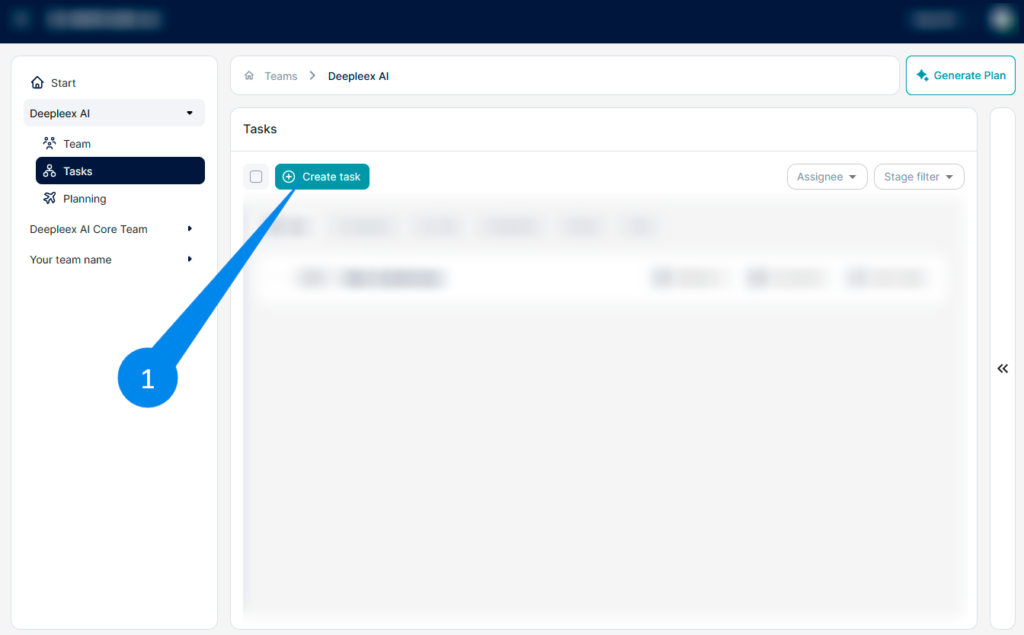
Go to the Tasks section In the left navigation panel, open the Tasks section. Select the desired level of the structure (project or parent task) inside which the new task will be created.
Click the Create task button at the top of the page. The new task creation form will open.
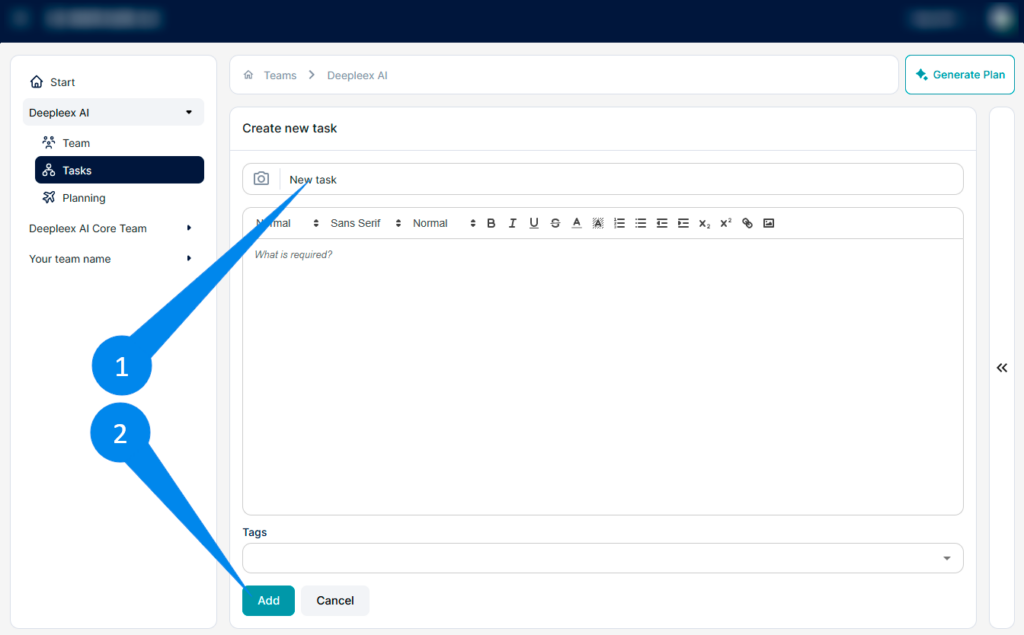
1. Enter the task name In the Enter name field, provide a short and clear name for the task. The name should reflect the essence of the work.
2. You can add description for task.
Describe the task In the description field, you can include:
Detailed task description
Explanations for the performer
Links to materials
Any additional information
The text can be formatted using the editor toolbar.
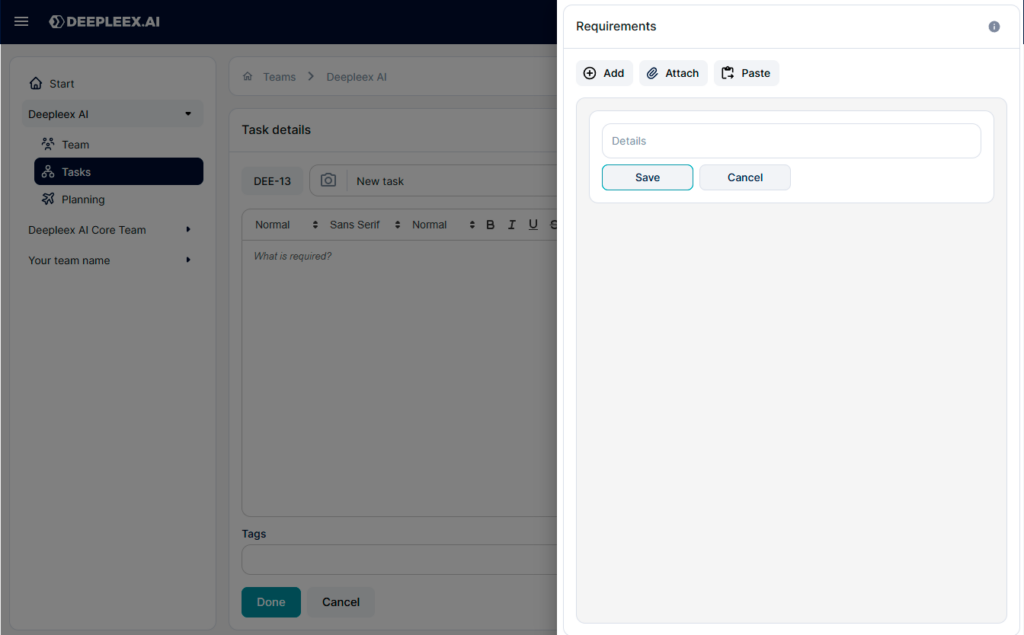
Add requirements
On the right side of the window there is a Requirements block.
To add a requirement:
Click the Add button
Enter the requirement text
Click Done
Requirements describe the conditions that must be met to consider the task completed.
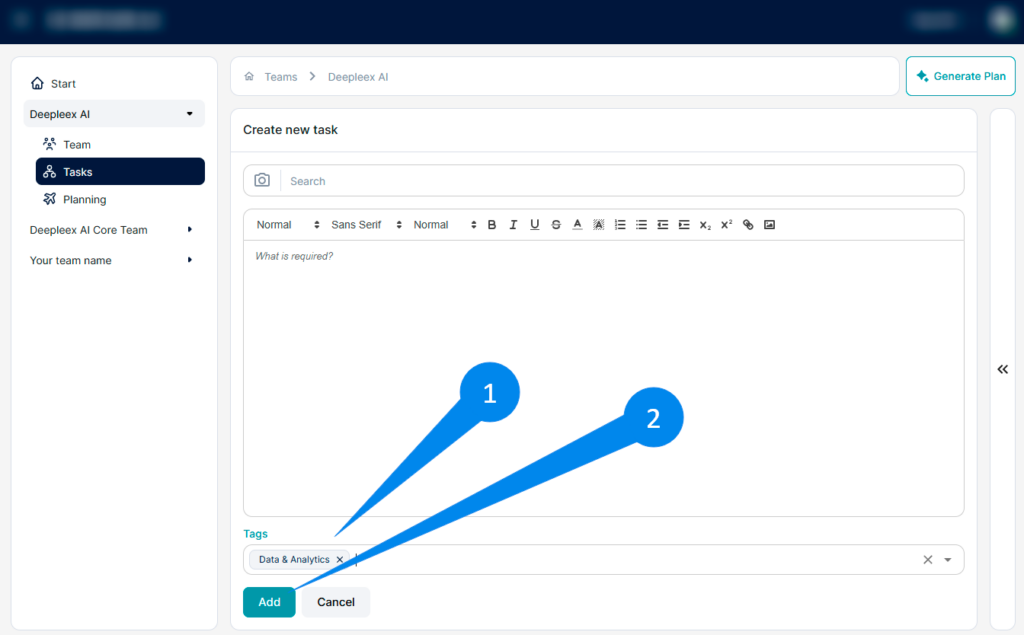
1. Create the task After filling in the form, click Add. The task will be created and will appear in the task list.
2. Add Tags (if needed) In the Tags field, it help with filtering and grouping tasks.