Task Linking​

Task Linking is a dependency mechanism between tasks.

The “Start after” option sets a rule according to which a task can only begin after another task has been completed.

That preceding task is called the predecessor.

As long as the predecessor task is not completed, the dependent task cannot be started.

What is it for

Task linking is used to:

  • Build the correct sequence of work

  • Manage dependencies between tasks

  • Prevent tasks from being started too early

  • Achieve more accurate project execution planning

This allows the system to take into account the logical order of work execution.

How it works

Where the link is configured

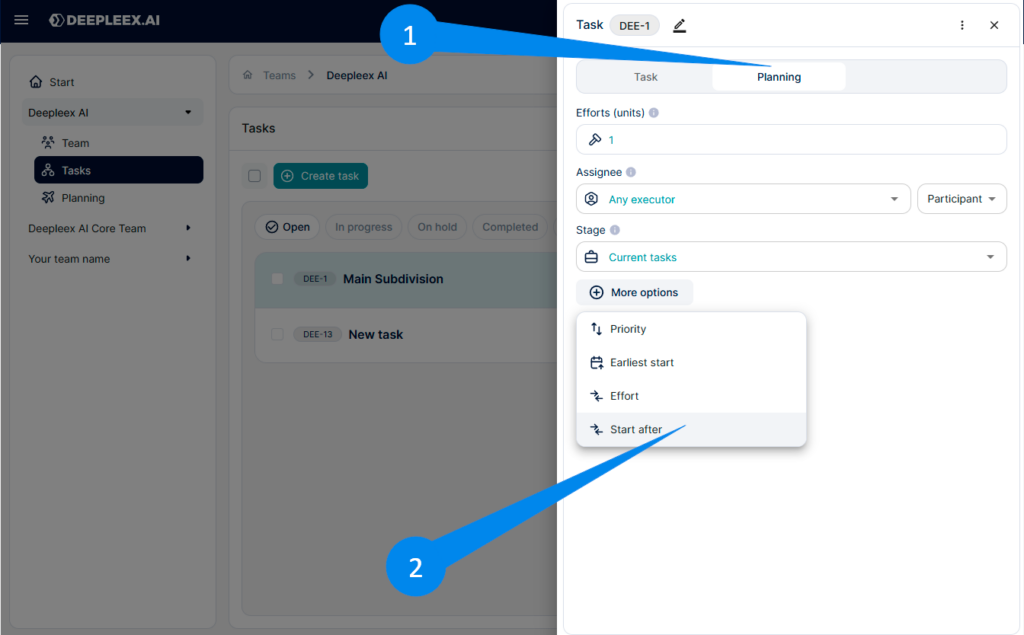
The dependency between tasks is set in the Planning tab.

This setting is available:

  • When creating a new task

  • When editing an existing task

How to set a dependency

Open the task or create a new one.

Go to the Planning tab.

  1. Click More parameters 

  2. Select the Start after parameter.
Task linking

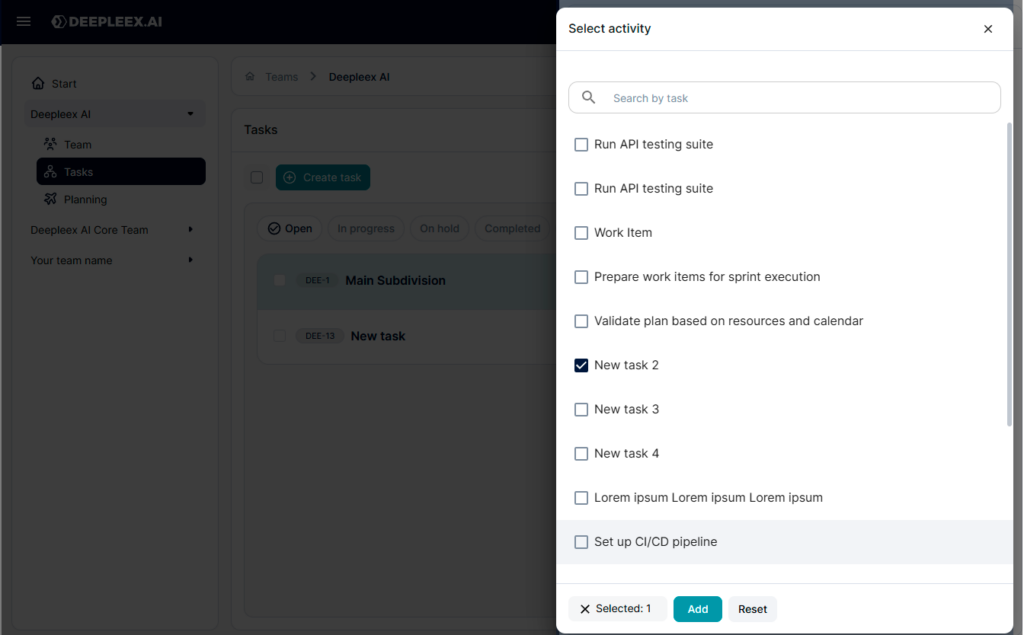
Specify the predecessor task.

Save the changes (Add button)

Task linking 2

Logic of operation

Once the link is established, the following rules apply:

  • While the predecessor task is not completed, the dependent task cannot be started

  • After the predecessor is completed, the dependent task becomes available for execution

What we get as a result

Linked tasks that are performed in the proper logical sequence and are correctly taken into account by the system during work planning.

Want to try Deepleex?