Work Stages Formation

What is it

Work Stages are a task planning mechanism within a team.

A stage groups tasks into logical sets that the system uses when building the work plan.

Stages do not create a task hierarchy and do not change the project structure.

They are used exclusively to control which tasks participate in planning.


When a team is created, the system automatically generates two default stages: 

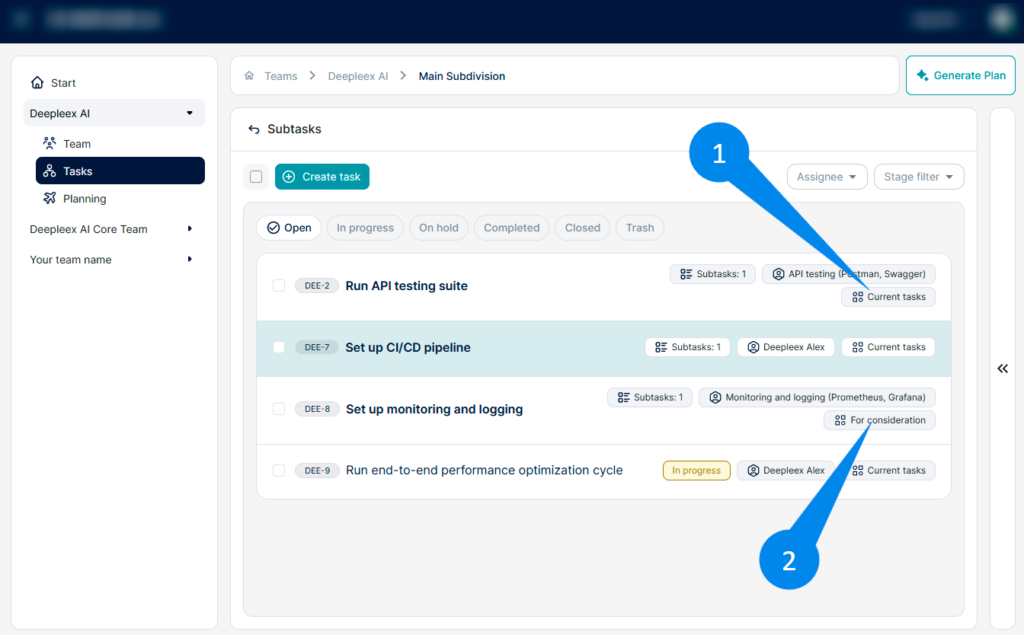
  • Current Tasks stage for tasks that participate in planning.

  • For Consideration stage for tasks that are not yet included in planning.

What is it for

Stages are used to:

  • Control which tasks participate in planning
  • Separate tasks by preparation stage
  • Manage deadlines for groups of tasks
  • Filter tasks in the interface

Example: Tasks can first be placed in the For Consideration stage, and after preparation — moved to Current Tasks to be included in the plan.

How it works

Default stages

After creating a team, the following two stages are available:

  1. Current Tasks Used for tasks that should participate in planning.

  2. For Consideration Used for tasks not yet included in planning.

New tasks are automatically assigned to the stage that is set as the default stage.

work stages 1

Creating a new stage

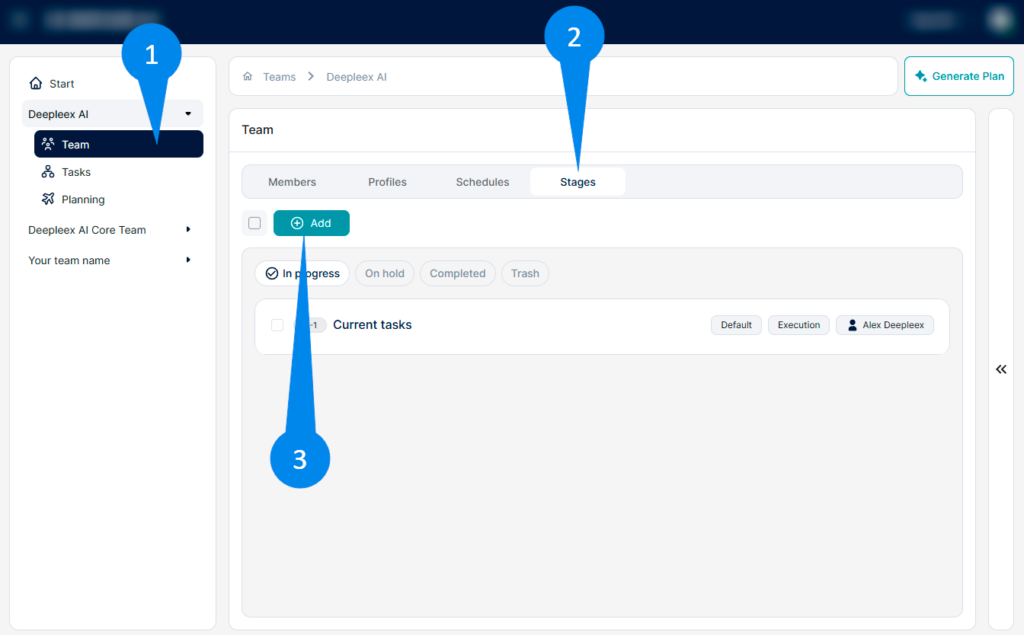
To create your own stage:

  1. Go to the Team section

  2. Open the Stages tab

  3. Click the Add button

Specify:

    • Stage name

    • Description (optional)

    • Planning settings

After saving, the stage will appear in the team’s list of stages.

work stages 2

Stage planning settings

Workload / Participation

Determines whether the stage’s tasks are included in planning.

  • Enabled — tasks from this stage participate in planning

  • Disabled — tasks are not added to the plan

Start after

Sets the earliest possible start date for tasks in this stage.

Used to restrict the start date of tasks.


Moving tasks between stages

Tasks can be moved between stages.

This may change their participation in planning.

For example:

  • A task in the Under Review stage does not participate in planning

  • After moving it to Current Tasks, it is included in the plan

What we get as a result

A configured work stages system that allows you to:

  • Control task participation in planning

  • Set time constraints and deadlines

  • Group tasks by work/preparation stage

  • Flexibly manage team task planning
Want to try Deepleex?