What it is
A Work Schedule is the team’s working time calendar.
It defines working days, weekends, and public holidays that the system takes into account when planning tasks.
What is it for
Work Schedules are used for:
The system schedules tasks only on the working days defined in the schedule.
How it works
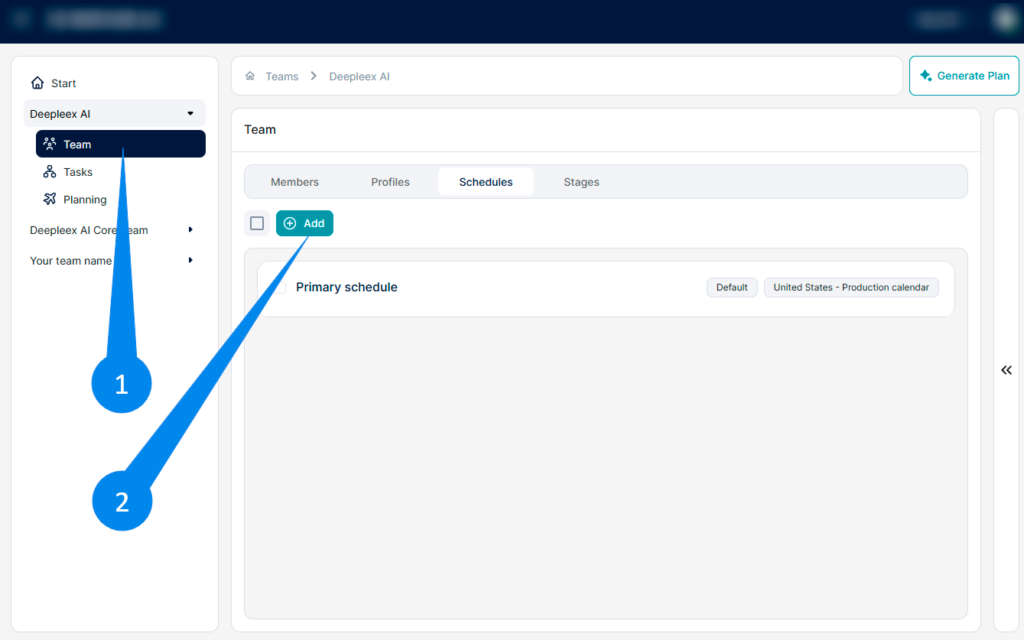
1. Open the Team section In the navigation panel, select the team and go to the Schedules tab.
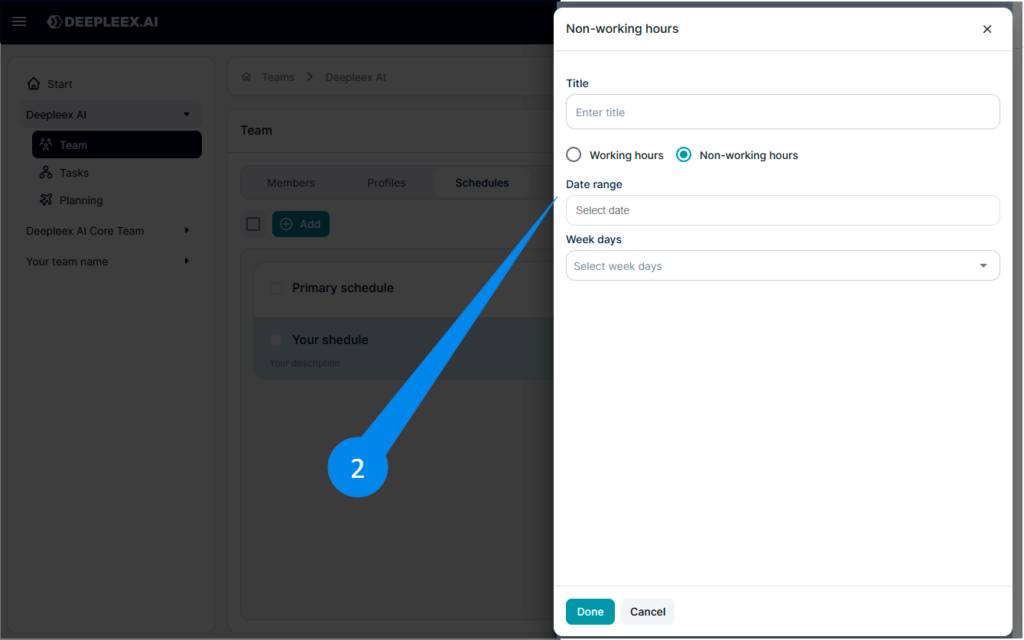
2. Click Add Click the Add button to create a new work schedule.
Default work schedule cannot be deleted.
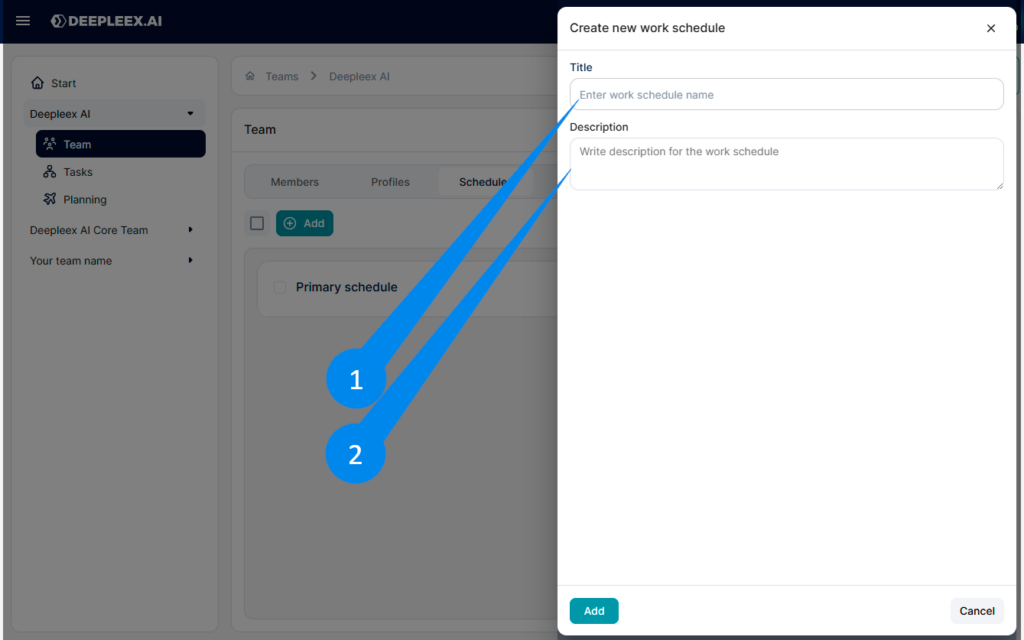
Enter the name and description of your work schedule.
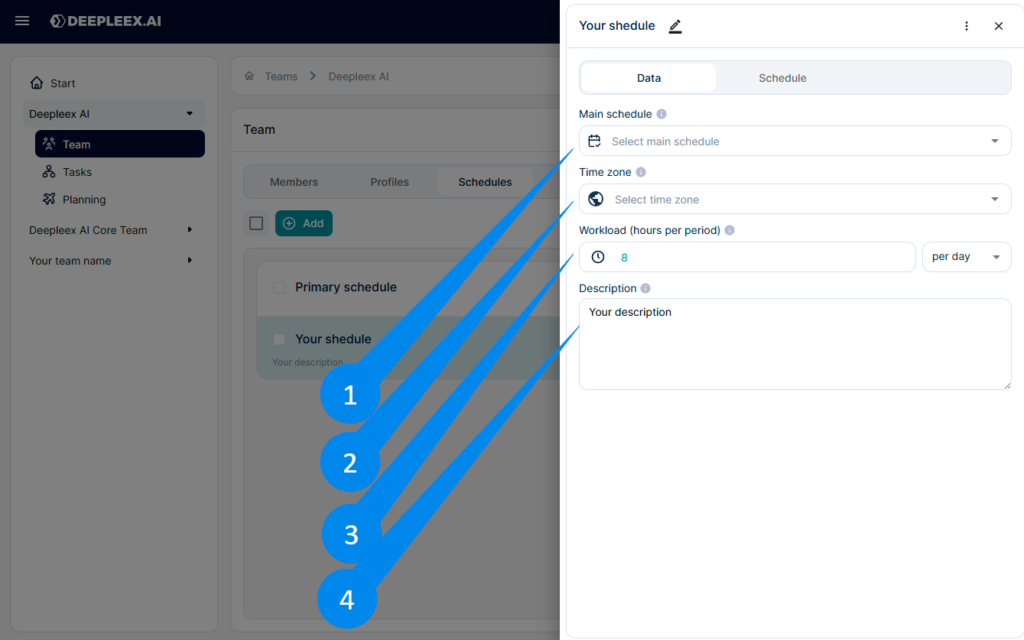
Select a production calendar In the schedule settings (right panel), choose the country’s calendar.
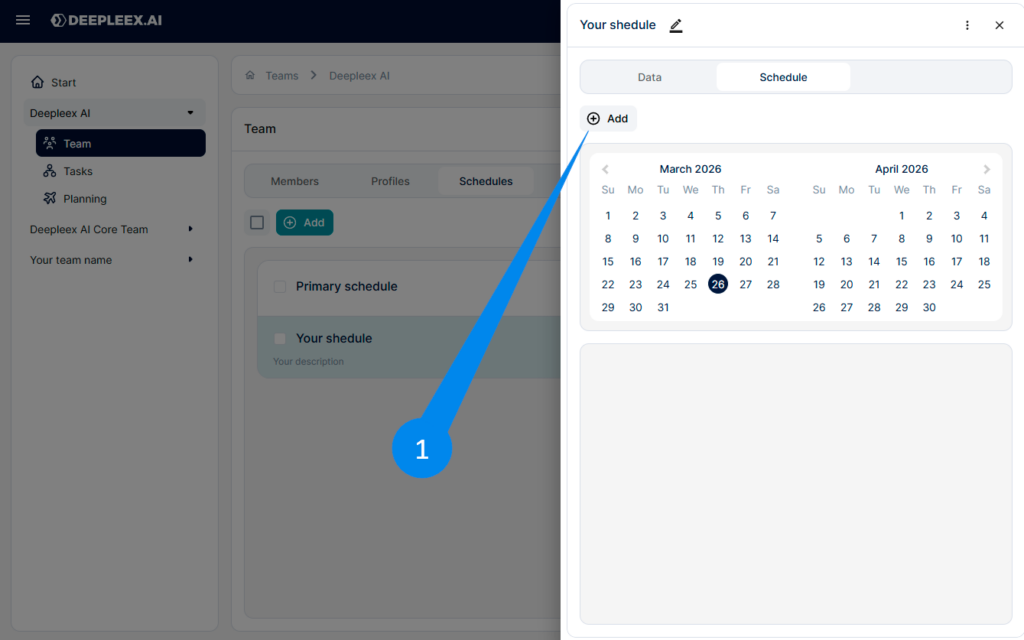
Configure the schedule On the Schedule tab you can:
Save the schedule once configured, the schedule can be set as the team’s main work schedule or assigned to individual members.
What we get as a result
A configured team work schedule that the system uses to calculate deadlines and plan tasks accurately.
I accept the Privacy Policy & Terms of Use
×
AI that plans projects, balances workloads, and predicts deadlines automatically.
Product news 24/7 support Useful resources
Be first to know about updates