What it is Adding members is the process of connecting users to a team.Team members can receive tasks, take part in planning, and work on projects.
What is it for
Adding members allows you to:
Through it you can:
How it works
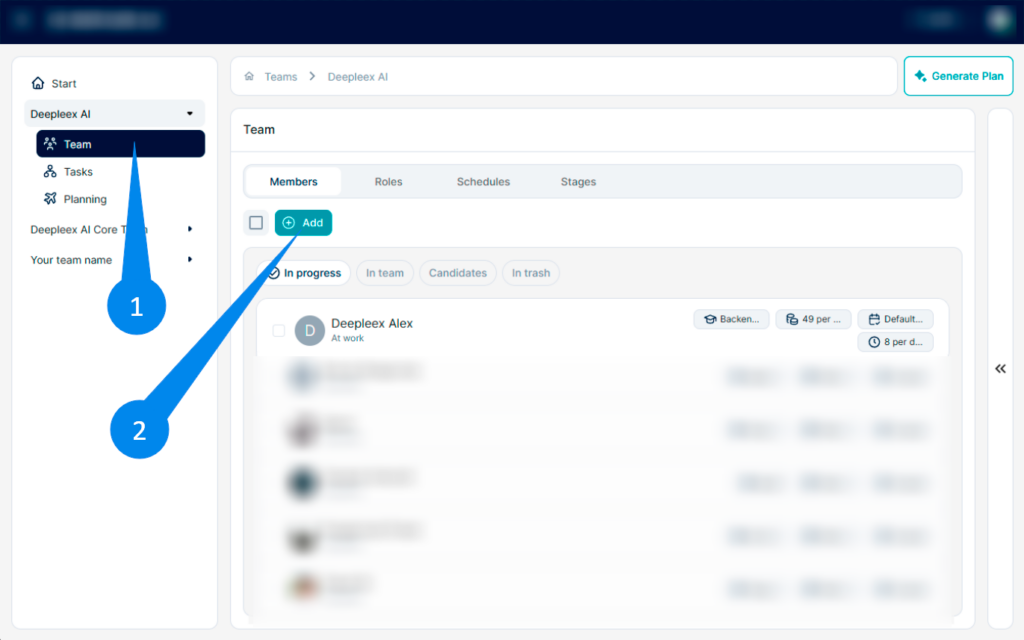
1. Open the Team section. In the left navigation panel, select the team and open the Team section. Go to the Members tab.
2. Click the Add button.
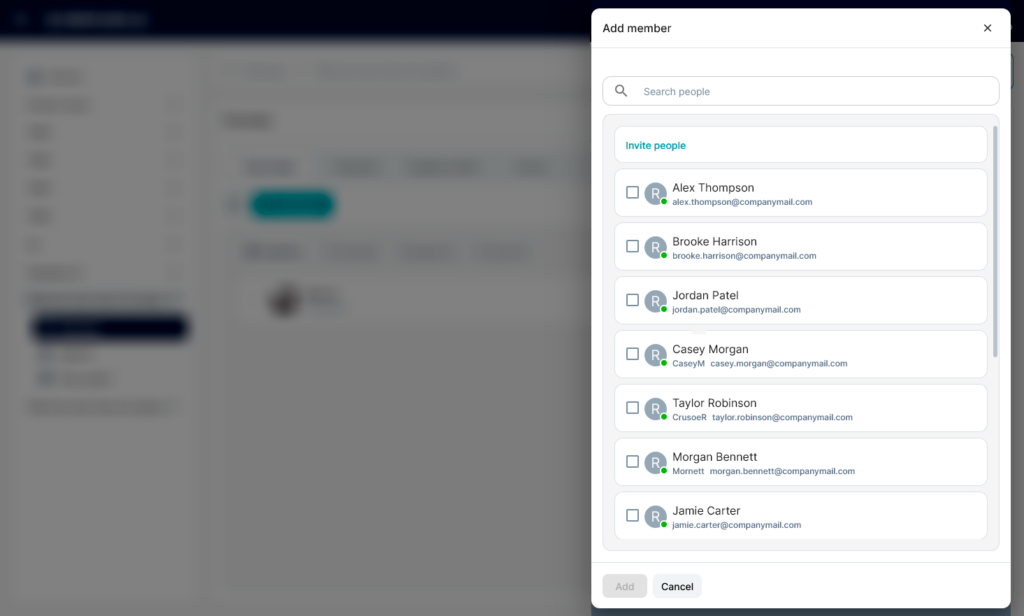
The member addition panel will open on the right.
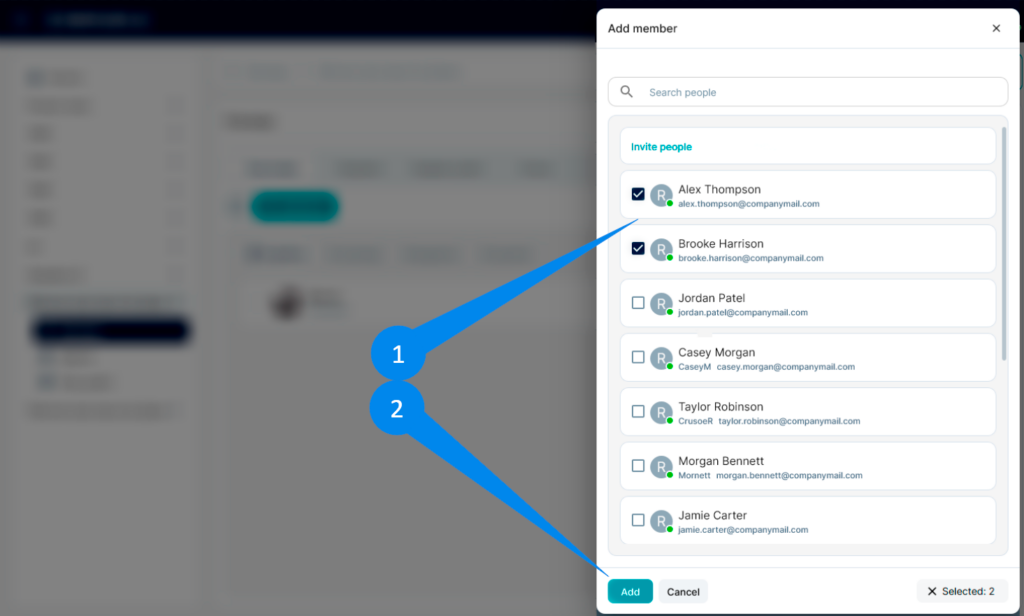
1. Select a user. The list displays users already in the system. You can select one or multiple users using checkboxes2. After making your selection, click Add.
What we get as a result
Quick access to managing your account, subscription, and personal settings without having to navigate to separate sections of the system.
Next: Invite a New User
I accept the Privacy Policy & Terms of Use
×
AI that plans projects, balances workloads, and predicts deadlines automatically.
Product news 24/7 support Useful resources
Be first to know about updates