Invite a New User

What is it

Inviting a new user is a feature for adding someone to the team via a special link.
If the desired user is not in the list, use the “Add via invitation” method.

What is it for

Invitations are used for:

Through it you can:

  • Quickly adding new members to the team

  • Securely connecting without direct access to settings

  • Controlling who can join

  • Conveniently sharing access via link

How it works

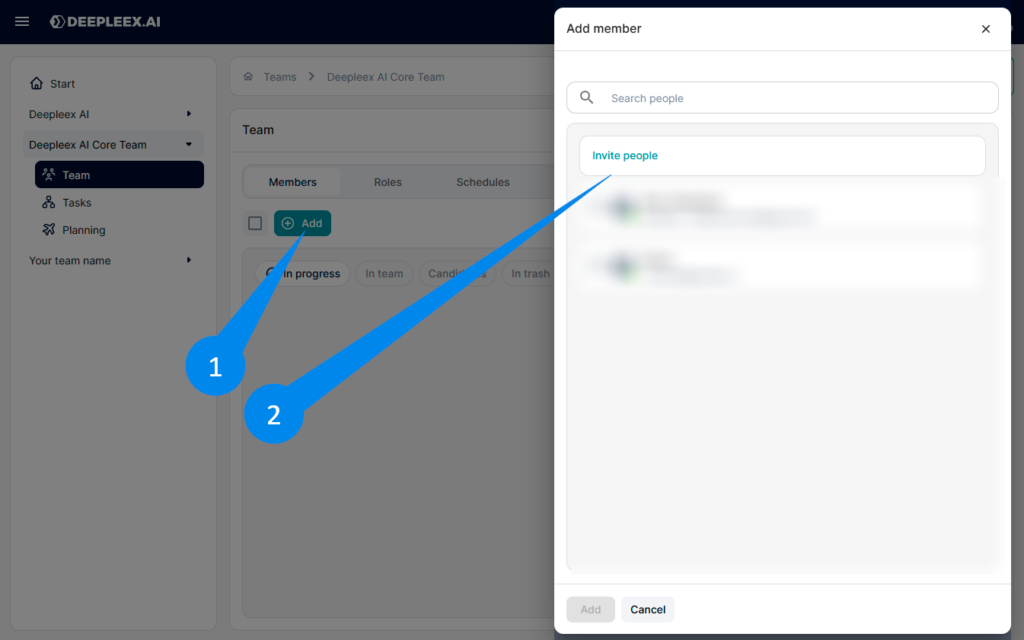
1. Click “Add” in Team list

2. Click “Invite people” If the desired user is not in the list. An invitation window will open.

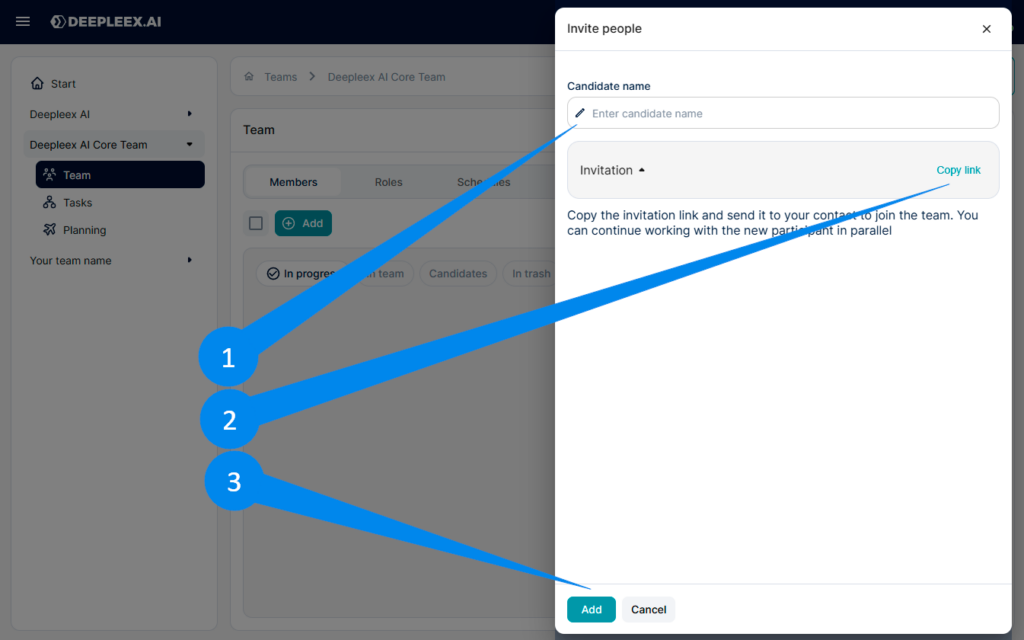
Invite member

1. Enter the user’s name

2. Copy invite link 

3. Click add

Invite member 2

Send the link Send this link to the person you want to add to the team.

What we get as a result

A new user successfully added to the team via a secure invitation link, ready for collaborative work.

Want to try Deepleex?