Importing Teams and Tasks

What it is 

Import is a tool that allows you to transfer tasks and users from other systems into Deepleex.

For example, you can import data from Jira.

What is it for 

Through it you can:

  • Quickly move existing tasks into Deepleex

  • Preserve the structure of projects

  • Transfer users and tasks without manual entry 

This helps you start working in the system without having to recreate all tasks from scratch.

How it works

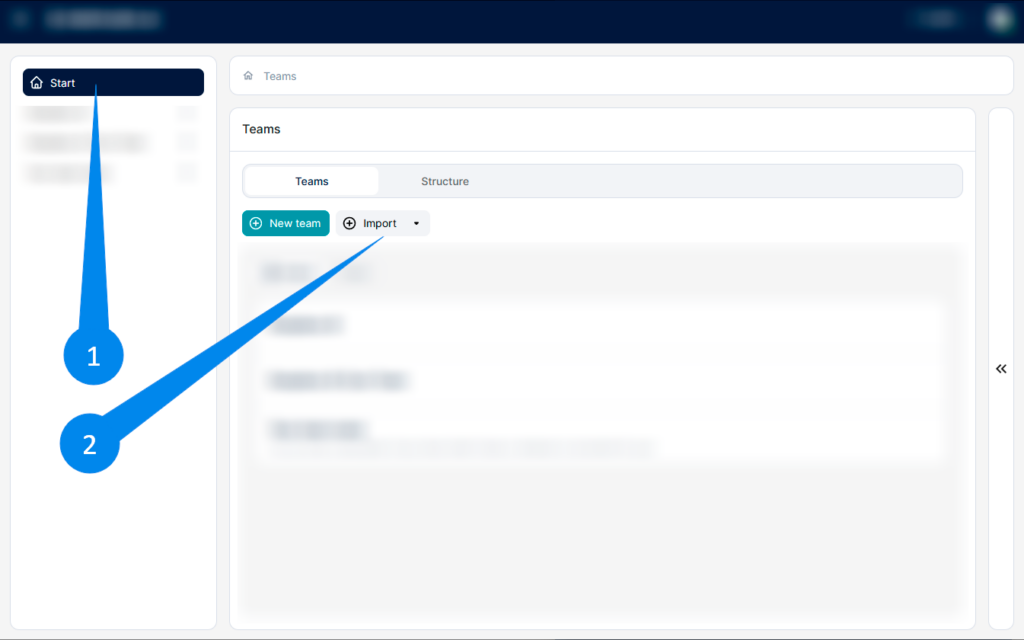
1. Go to the Start section. 

2. Click the Import from button. Select the import source — for example, Jira.

Imprort

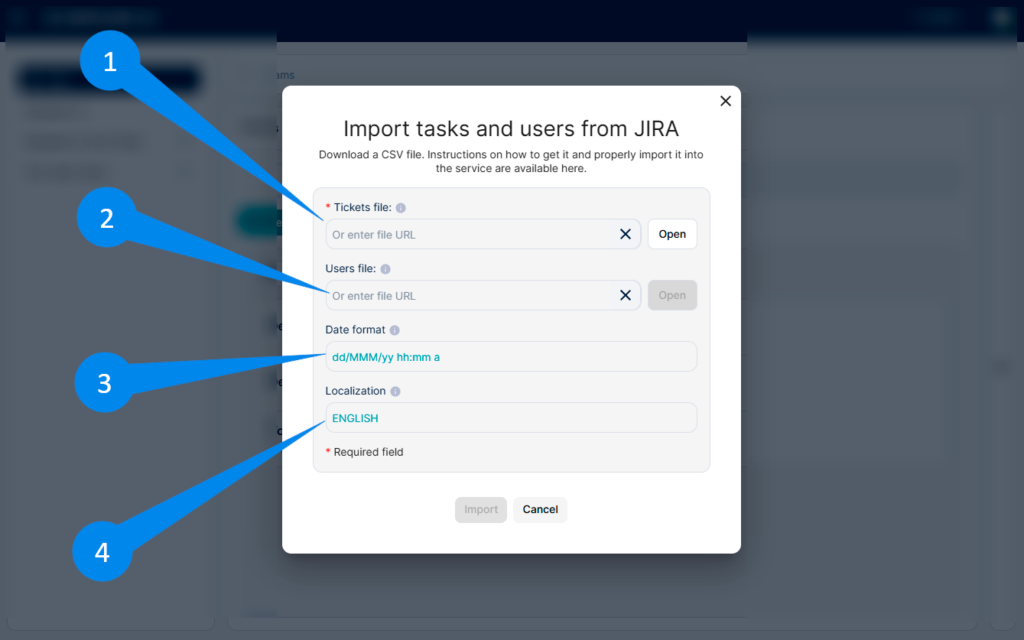
Upload files The import window will open. You need to upload:

1. Export tickets to JIRA file and attach it here

2. Users file (if required) CSV file with the list of users. 

Specify import parameters Additionally, you can set:

3. Date format — the format of dates used in the imported file

4. Localization — the language of the data

Imprort 2

Click Import After uploading the files, click the Import button. The system will create teams, users, and tasks based on the imported data.

What we get as a result

Imported teams, users, and tasks that can be used immediately in Deepleex for further work and planning.

Want to try Deepleex?