Breadcrumbs (Path)

What it is 

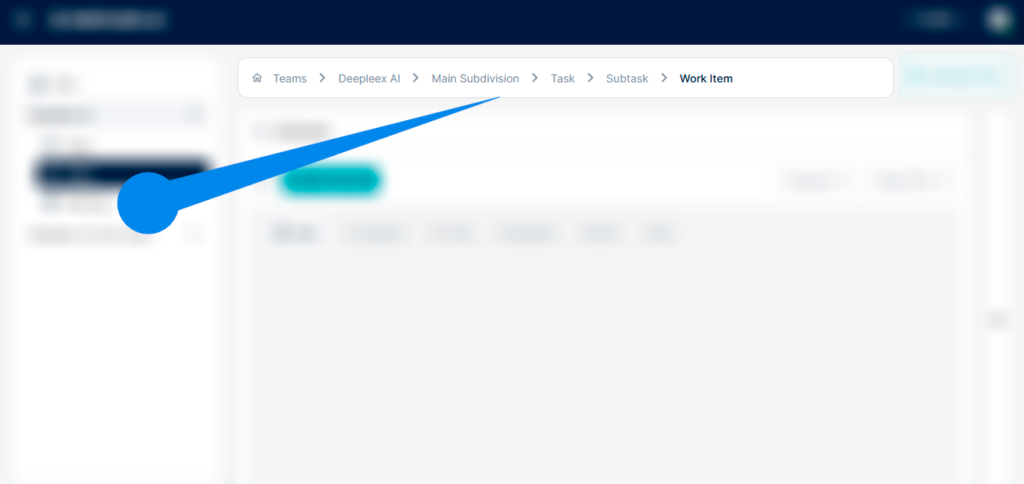
The top panel is the main control bar of Deepleex, which is always located at the top of the interface.

It displays the sequence of objects the user has navigated through to reach the current page.

Breadcrumbs help you:

  • Understand where you are in the system

  • Quickly return to previous levels

  • Navigate the structure of teams and projects

How it works

The path is automatically generated based on the current section.

Each item in the chain is a clickable link.

Clicking any of them takes you instantly to the corresponding level.

For example, the path might look like this:

Team → Section → Object you are currently working with.

Breadcrumbs

What we get as a result

The user always sees their current position in the system and can quickly jump to any previous level of the structure.

Want to try Deepleex?