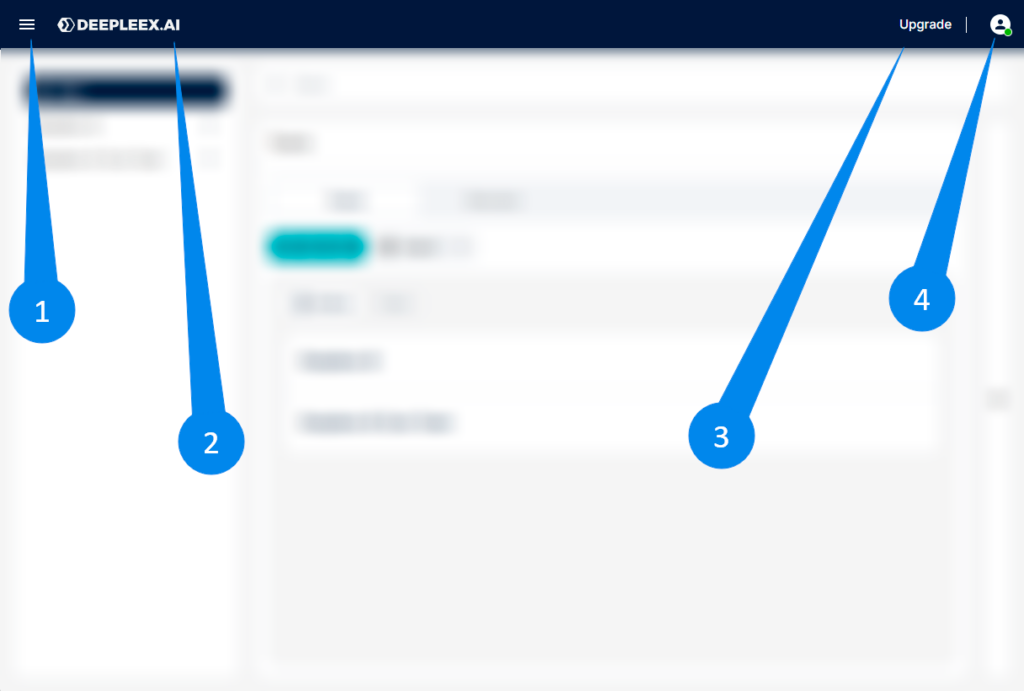
The top panel is the main control bar of Deepleex, which is always located at the top of the interface.
The main elements of the panel:
Deepleex logo
Burger menu
Upgrade
User menu
What is it for
The Top Panel provides quick access to the main account functions and user management.
Through it you can:
Open your user profile
View your current subscription
Go to account settings
Log out of the system
Сheck the upgrade (If you have a trial mode)
How it works
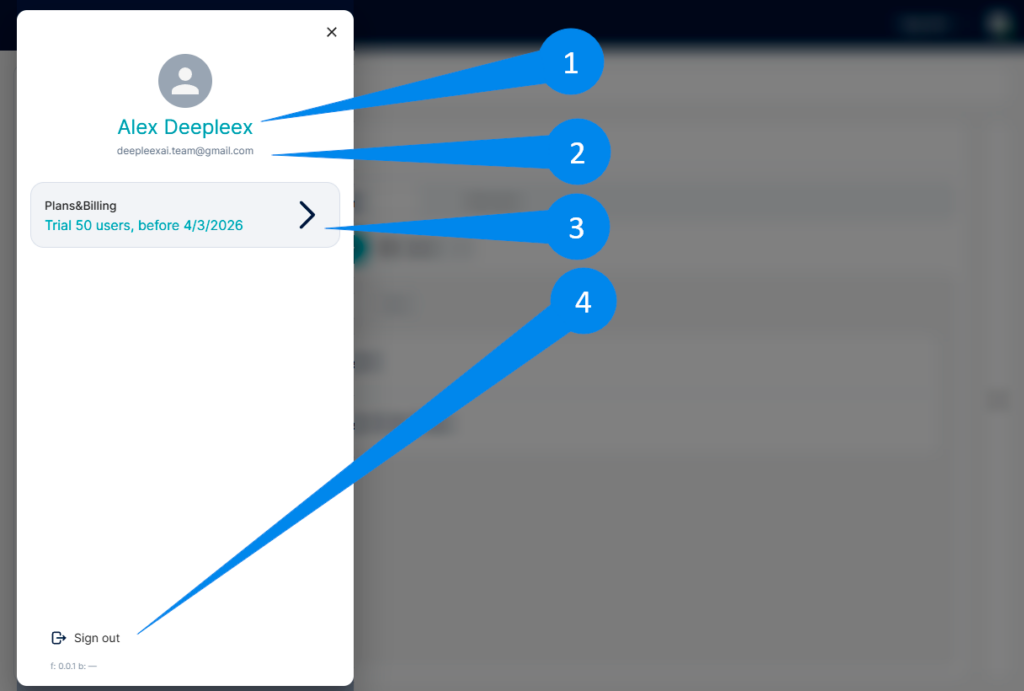
Burger menu
Click on the menu icon in the top panel.
This opens the user profile panel, which displays:
Username
Email
Current plan and number of users
Log out button
Tariff
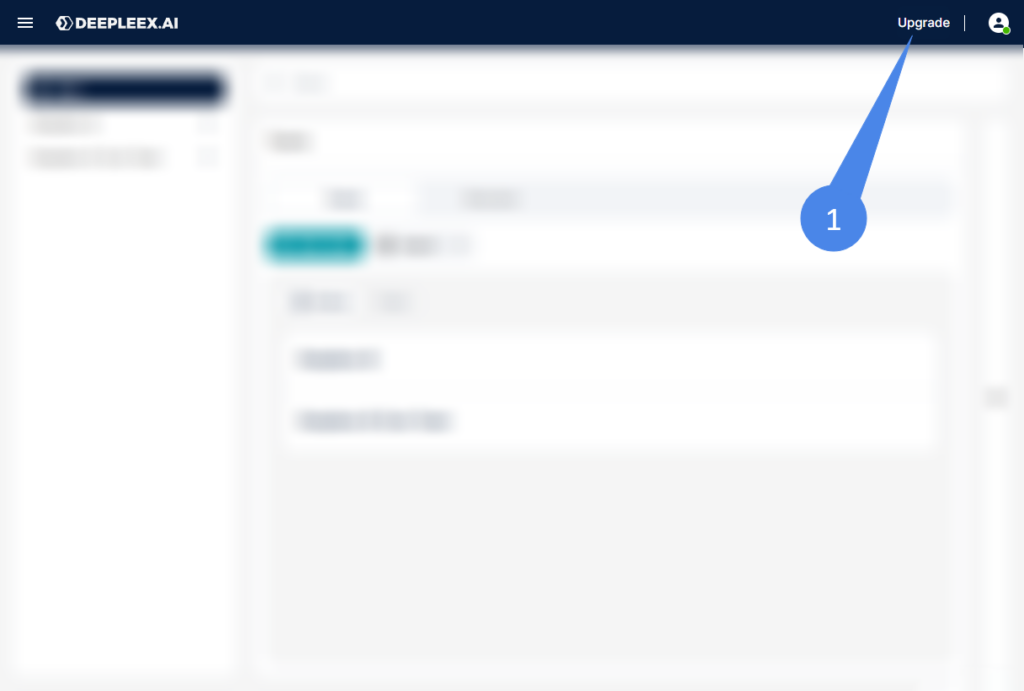
1. Click on the menu icon Upgrade in the top panel.
While on a trial subscription, you’ll have access to the plans button—click it to upgrade your plan.
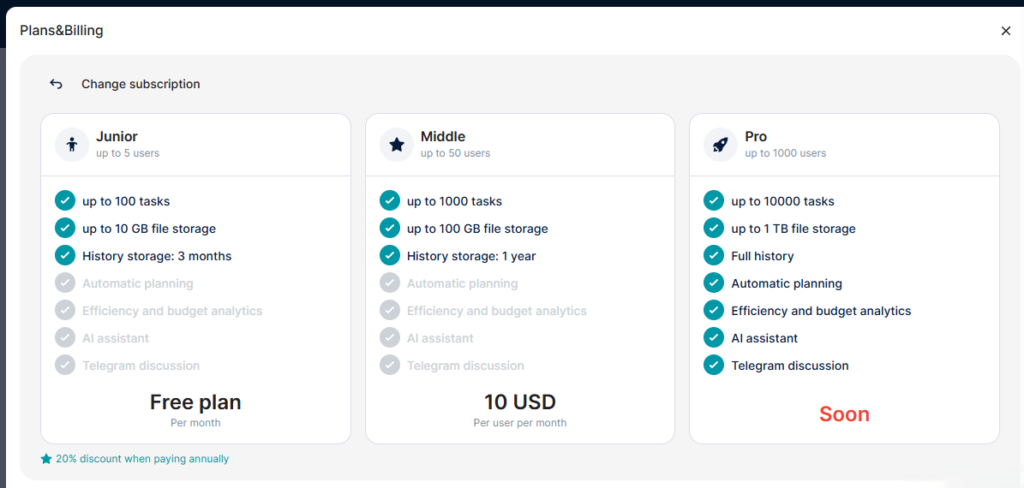
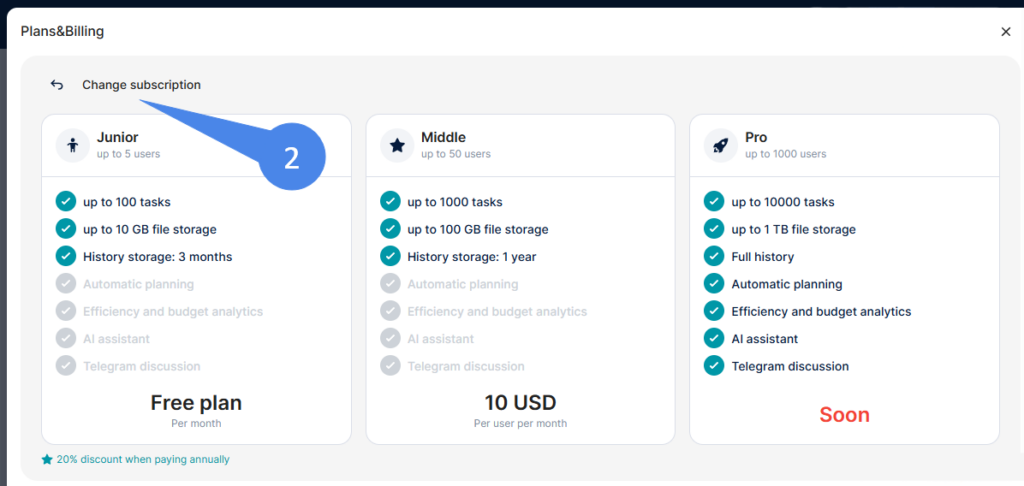
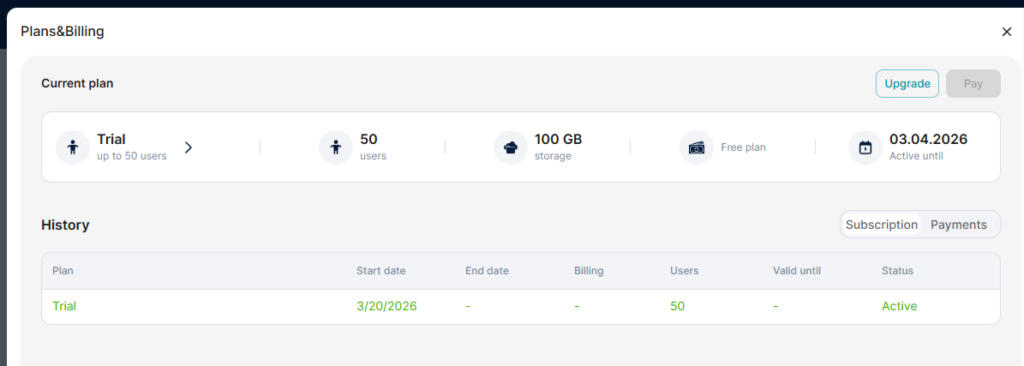
2. Pressing “Change subscription” displays the Current plan screen. It shows your Trial details (user limit, storage, Free plan equivalent, active until date) plus a history table (plan name, start date, users, status).
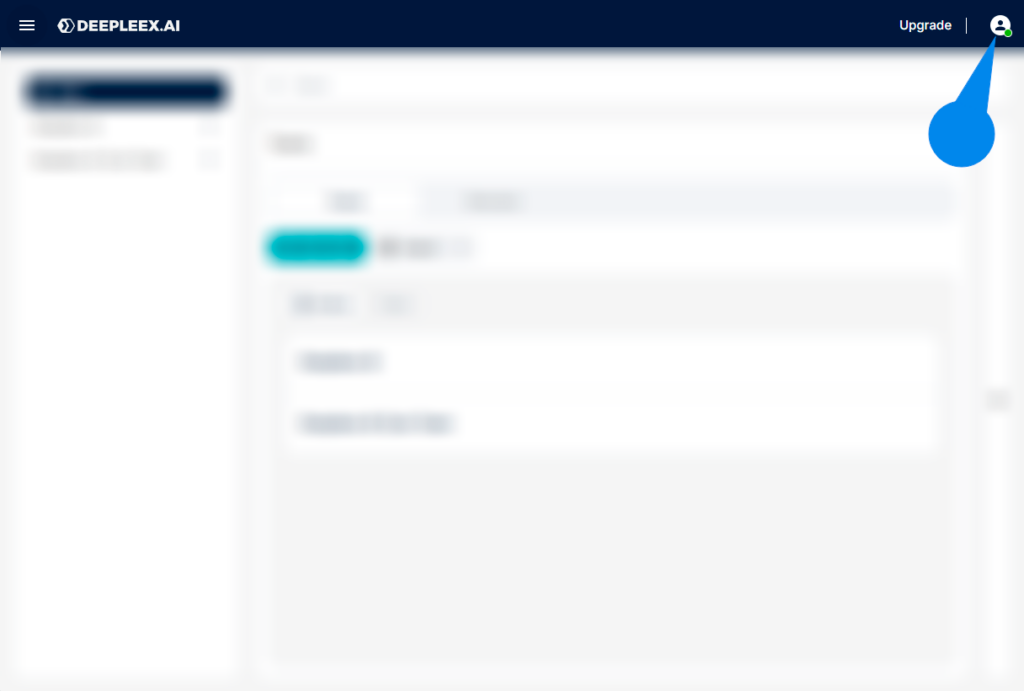
User menu (avatar)
Click on the user’s avatar.
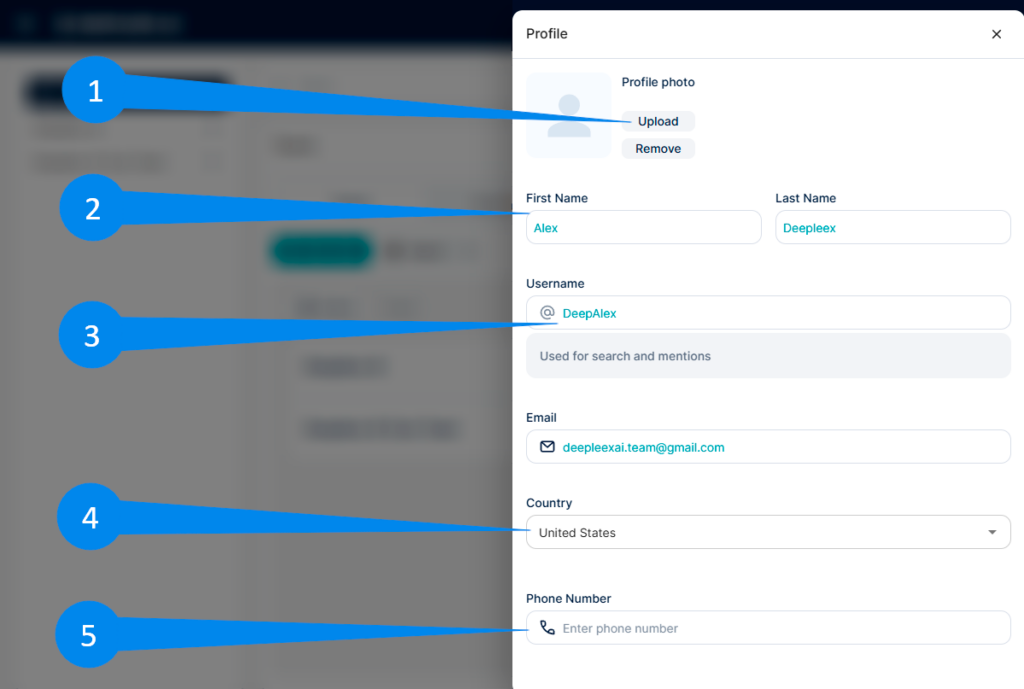
This opens the account window, where you can:
Change your avatar
Enter your first and last name
Change your nickname / display name
Specify your country
Add a phone number
What we get as a result
Quick access to managing your account, subscription, and personal settings without having to navigate to separate sections of the system.